
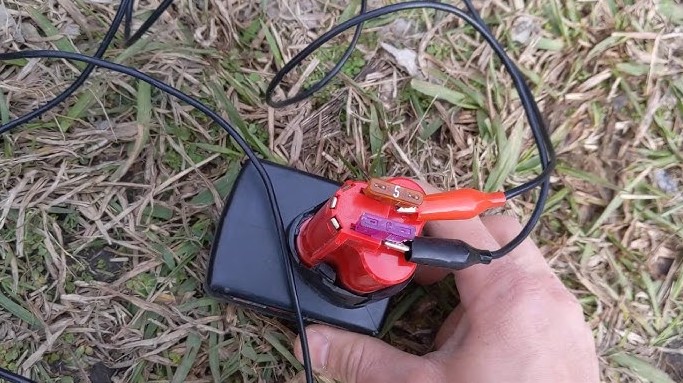
Every project depends on reliable power, and a fully charged Milwaukee M12 battery keeps your tools ready for action. A dead battery can slow progress and test patience, especially in the middle of an important task.
Clear knowledge about the correct charging process protects your investment and extends battery life. Milwaukee designed the M12 system for durability and performance, yet proper charging habits make a real difference in long-term results.
This guide breaks down each step in a straightforward way so you can charge your battery safely and efficiently. You will learn how to set up the charger, understand indicator lights, and avoid common mistakes that reduce performance.
Strong battery care not only saves money but also ensures consistent power every time you pull the trigger. Get ready to power up your M12 battery with confidence and keep every project moving forward.
How to Charge Milwaukee M12 Battery?
Milwaukee M12 batteries power small tools for home and job site work. Drills. Impact drivers. Ratchets. Flashlights. A full battery saves time and keeps work smooth.
Many users charge the battery but do not understand how it really works. Proper charging protects the battery. It also helps it last longer.
This guide explains how to charge a Milwaukee M12 battery step by step. You will also learn about charging time, battery care, safety, and common problems.
Understanding the Milwaukee M12 Battery System
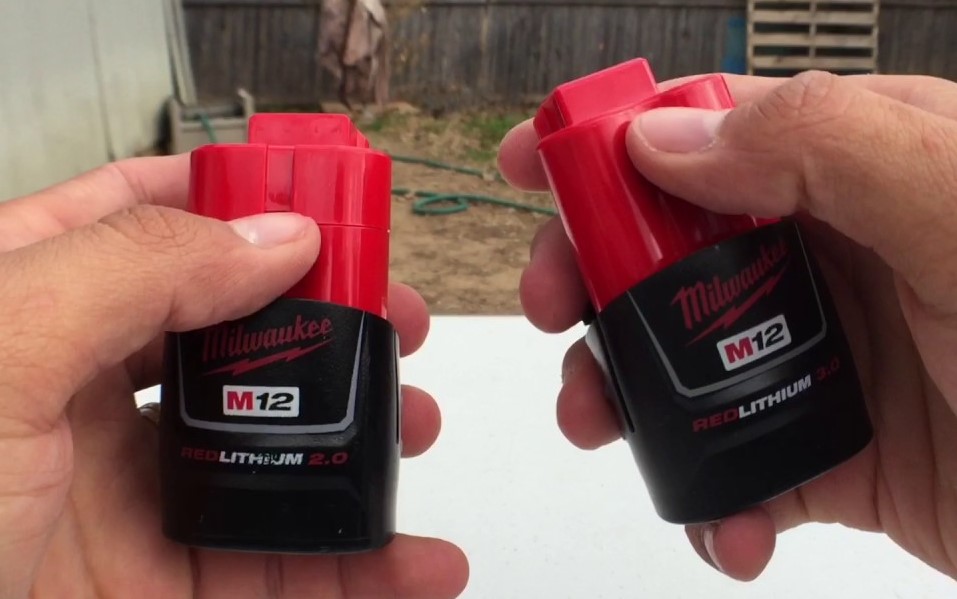
Milwaukee M12 battery uses lithium-ion cells. Lithium-ion batteries store more power in a small size. They charge faster than old nickel batteries.
These batteries usually come in different capacities:
-
1.5Ah
-
2.0Ah
-
3.0Ah
-
4.0Ah
-
6.0Ah
Ah means amp-hour. Higher Ah means longer run time. A 6.0Ah battery runs much longer than a 2.0Ah battery.
Milwaukee Tool designs M12 batteries with built-in protection. The battery has a small circuit board inside. This board protects from:
-
Overcharging
-
Overheating
-
Over-discharging
-
Short circuits
This protection keeps the battery safe during charging.
How the M12 Charger Works?
The M12 charger controls power flow. It does not send full power all the time. It charges in stages.
Stage 1: Soft Start
The charger checks battery temperature and voltage.
It sends a small amount of power first.
Stage 2: Fast Charge
The charger increases current.
Most of the charging happens in this stage.
Stage 3: Top-Off Charge
The charger slows down near full capacity.
It balances the cells inside the battery.
Stage 4: Maintenance Mode
The charger stops heavy charging once full.
It keeps the battery at safe full charge.
This smart charging system prevents damage.
Detailed Step-by-Step Charging Process
Step 1: Inspect the Battery
Check for cracks, swelling, or burn marks.
Do not charge a damaged battery.
Look at the metal contacts. Clean them with a dry cloth if dirty.
Step 2: Check the Charging Area
Place the charger on a flat surface.
Room temperature works best. Around 10°C to 30°C gives ideal charging performance.
Avoid hot cars or direct sunlight.
Step 3: Connect the Charger to Power
Plug the charger into a working outlet.
The power light should turn on.
No light means no power. Test another outlet if needed.
Step 4: Insert the Battery Correctly
Slide the battery into the slot.
Push until you hear a click.
The red LED usually lights up. This means charging has started.
Step 5: Monitor the LED Signals
Most M12 chargers use these signals:
-
Solid red: charging
-
Solid green: fully charged
-
Flashing red: battery too hot or too cold
-
Flashing red and green: battery problem
A 2.0Ah battery often takes about 30–40 minutes.
A 4.0Ah battery may take 60 minutes.
A 6.0Ah battery may take 90 minutes or more.
Actual time depends on temperature and battery condition.
Step 6: Remove After Full Charge
Green light shows full charge.
Pull the battery straight out.
Unplug the charger if not in use.
Battery Capacity and Charging Time Data
Here is an estimated time chart under normal room temperature:
-
1.5Ah: 25–35 minutes
-
2.0Ah: 30–40 minutes
-
3.0Ah: 45–60 minutes
-
4.0Ah: 60–75 minutes
-
6.0Ah: 90 minutes or more
Charging time increases if the battery gets very low. Cold weather also increases charging time.
Best Charging Practices for Longer Battery Life
Good habits extend battery life.
Avoid Full Discharge
Lithium-ion batteries do not like deep discharge.
Recharge when 1 bar remains.
Avoid Constant Full Storage
Store at about 40–60% charge for long storage.
Full charge for months can reduce life.
Keep Away from Heat
High heat damages battery cells.
Heat above 40°C reduces lifespan quickly.
Store Properly
Store in dry place.
Ideal storage temperature stays between 10°C and 25°C.
Charge Regularly
Charge every 3–4 months if unused.
Long empty storage harms lithium cells.
Signs Your M12 Battery Needs Replacement
Batteries wear out after many cycles.
One charge cycle means full discharge and recharge.
Most lithium-ion batteries last 300–500 cycles.
Common signs of aging:
-
Very short run time
-
Battery heats up quickly
-
Charger shows error often
-
Battery does not hold full charge
Replace the battery if these problems continue.
Common Charging Issues Explained in Detail
Battery Gets Too Hot
Heavy tool use makes the battery hot.
Charger will not start until it cools.
Let it sit for 15–30 minutes.
Charger Shows Flashing Error
Battery temperature may be below 0°C or above safe range.
Bring it to room temperature.
Damaged internal cells can also cause this.
Slow Charging
Cold weather slows chemical reaction inside lithium cells.
Warm the battery slowly indoors.
Dirty contacts can also slow charging.
Safety Rules You Must Follow
-
Never open the battery case.
-
Do not drop or crush the battery.
-
Keep away from water and metal objects.
-
Do not use extension cords that overheat.
-
Keep out of reach of children.
Lithium-ion batteries store high energy. Careless use can cause fire.
FAQs
How do I know my Milwaukee M12 battery is charging correctly?
Solid red light shows active charging. Solid green light shows full charge.
Can I charge the battery after every use?
Yes. Lithium-ion batteries handle partial charging well.
Does overcharging damage the M12 battery?
The smart charger stops active charging at full level. Remove it after full charge for best care.
Why does charging slow down near full?
The charger reduces current to balance cells. This protects battery life.
Can cold weather damage the battery?
Extreme cold reduces performance. Charge and store at room temperature for best results.
Conclusion
Proper charging keeps your Milwaukee M12 battery strong and reliable. Use the correct charger. Watch the LED lights. Keep the battery at normal room temperature.
Avoid deep discharge and high heat. Good charging habits protect the internal cells. Careful use helps the battery last for many years.